
Priority Vault (Tokenization) -older
Securely store and reuse customer payment methods with minimal PCI burden
Priority Vault enables your business to tokenize card data, store it safely, and reuse it for future transactions - all without sensitive information touching your servers. This allows for faster checkouts, recurring payments, and flexible payment flows, while reducing your PCI compliance obligations.
What Vault Does
Priority Vault helps you
- Tokenize sensitive card data so raw numbers are never stored on your servers
- Associate tokens with customer profiles for flexible payment management
- Enable one-click payments and recurring charges
- Reduce PCI compliance scopeby offloading data security to Priority
Its features include:
It securely tokenizes the card data and obtains authorization from the user, utilizing consumer-facing consent language.
In addition to credit cards, the Vault widget can be configured to allow customers to add payment methods.
The Vault interface can also be configured to display the customer's existing saved cards so they can manage them.
How Vault works
The Vault system transforms raw card data into persistent tokens linked to a unique customer profile. These tokens can then be used for one-click payments, subscriptions, and other recurring transactions.
The vault operations process focuses on secure data tokenization and obtaining proper customer consent:
- Create a Customer Profile – Each card token is associated with a unique customer ID.
- Capture Card Data – Use the drop-in Vault widget or SDK to securely collect card information.
- Tokenize Card Data – Payment details are captured through the Vault widget or SDK and converted into a secure token.
- Reuse Tokens – Tokens enable future payments without re-collecting card information.
Below is a sample representation of the vaulting form generated via the Priority Vault integration. The form is dynamically rendered and configurable based on your implementation settings.
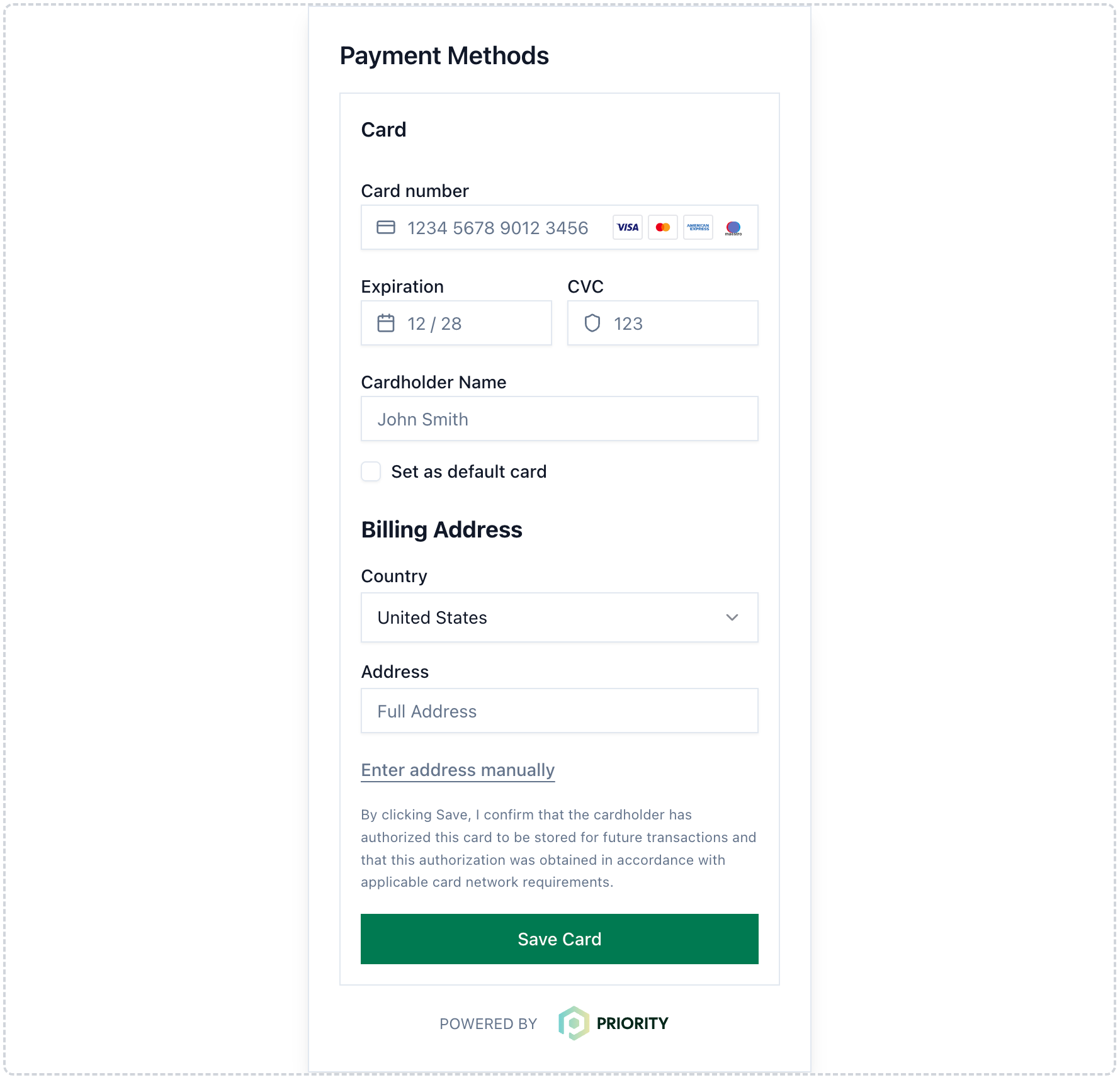
Priority Vaulting Widget (Sample) - New User
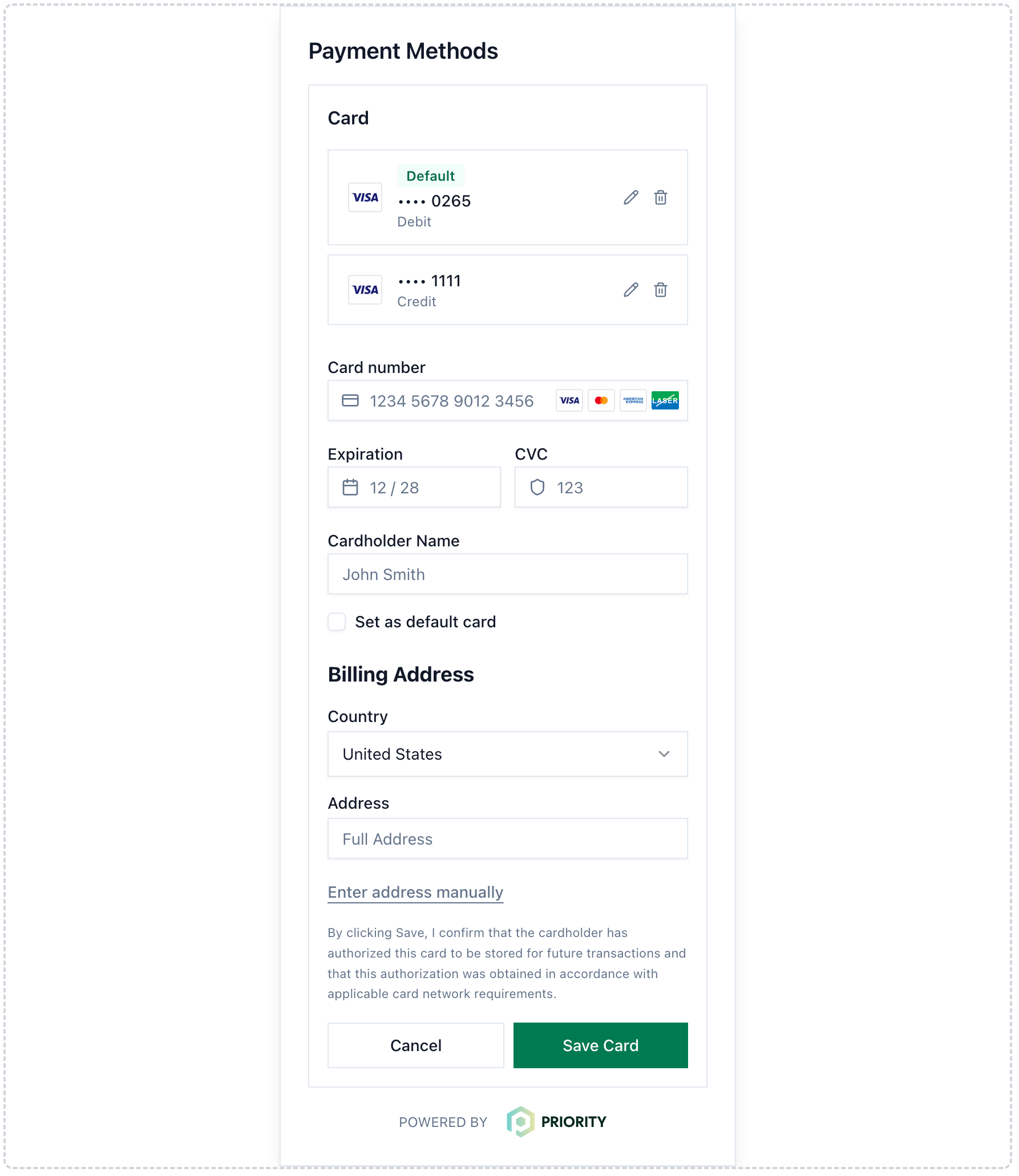
Priority Checkout Widget (Sample) - Returning User
Security and Compliance
Priority Vault is designed to keep sensitive card data out of your systems while enabling a secure, auditable, and compliant workflow. Security is a shared responsibility: while the Vault widget reduces your PCI scope, following these best practices ensures every transaction remains secure.
-
Customer Consent & Disclosure
- The Vault widget provides built-in consent messaging to meet regulatory and transparency requirements:
- Example message: “By clicking Save, you authorize the merchant to securely store this card and charge it for future transactions.”
- No additional or explicit consent action is required beyond this message.
- This approach ensures your tokenization workflow is auditable and compliant with payment regulations.
- The Vault widget provides built-in consent messaging to meet regulatory and transparency requirements:
-
Generate Client Secrets only from your backend: Always generate
clientSecreton your server; never expose your secret API keys in frontend code or public repositories. The Client Secret API must only be called from your backend to prevent unauthorized use. -
Use HTTPS in Production: Serve all pages and API requests over HTTPS to secure communication between your application and the Vault widget.
-
Use One Client Secret per Session: Generate a new client secret for every vaulting session. Do not reuse secrets that are expired or already consumed.
-
Handle errors securely: Use the
onErrorcallback to log error safely for troubleshooting. Avoid exposing sensitive or internal error information to end users.
Updated 29 days ago